
You are using an out of date browser. It may not display this or other websites correctly.
You should upgrade or use an alternative browser.
You should upgrade or use an alternative browser.
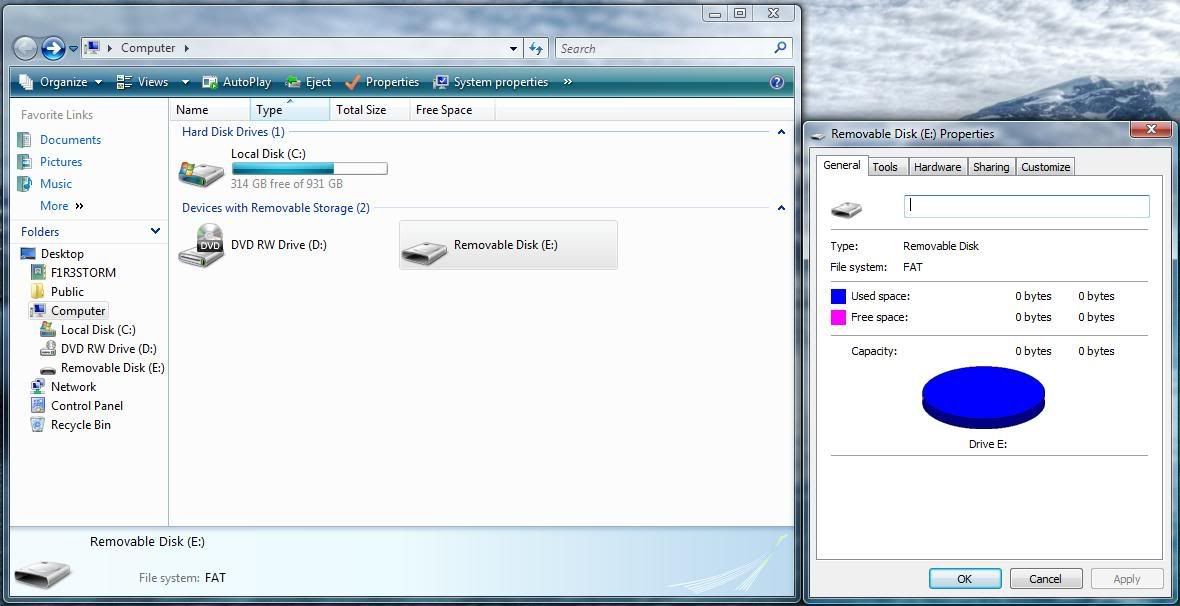
Vista USB Trouble?
- Thread starter F1R3STORM
- Start date

PC Hobbyist
New Member
It might be a driver issue / bug in Vista. If so, you're not the first one to experience this. I have read the following worked for some people:
2 options to try:
1. Update the driver and when asked, manually enter the directory c:\windows\system32 (and check mark on "search subfolders") for windows to search there.
2. Delete C:\windows\inf\INFCACHE.1
You must first edit its file permissions in order to give full control to the user group before you are allowed to delete it.
After deletion, restart Vista.
2 options to try:
1. Update the driver and when asked, manually enter the directory c:\windows\system32 (and check mark on "search subfolders") for windows to search there.
2. Delete C:\windows\inf\INFCACHE.1
You must first edit its file permissions in order to give full control to the user group before you are allowed to delete it.
After deletion, restart Vista.

Bodaggit23
Active Member
I think it's an issue with the drive itself, since Vista is recognizing it.
Is this indeed a USB flash drive or some other component?
Is this indeed a USB flash drive or some other component?
Bodaggit23
Active Member
Good to hear.

Bodaggit23
Active Member
Yeah restarts and system restores are often the best solution.
Restarts anyway. lol