
What do these settings do

wifiwupding

New Member
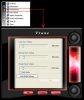
im not quite shure what these settings do but can they be adjusted to improve the graphics performance, im using a 9600gt

windows XP
Intel(R) core(TM) 2 Duo CPU
E6750 @ 2.66GHz
2.67 GHz, 1.00 GB of RAM

+5V & 3.3V combined load 230W
+5V & 3.3V & 12V combined load 422W
Total output is 500W max
 

Attachments

  • 2009-09-18_152254.jpg
    2009-09-18_152254.jpg
    33.6 KB · Views: 45
You can change those settings to improve the graphics performance, correct.


BUT

by doing so, depending on the manufacturer of your graphics card, this will most probably VOID your warranty.

also, overclocking may make your card unstable, and could damage it.

If you do choose to change any of these settings, you may want to read up on overclocking etc... to ensure you know what you are doing before changing anything.

you may want to read something like this: http://www.tomshardware.com/reviews/overclock-graphics-card,1916.html
 
Its pretty self explanatory. One is the GPU core clock, one is the Memory clock and the last one is your Shaders clock.
 
Back
Top