wolfeking
banned
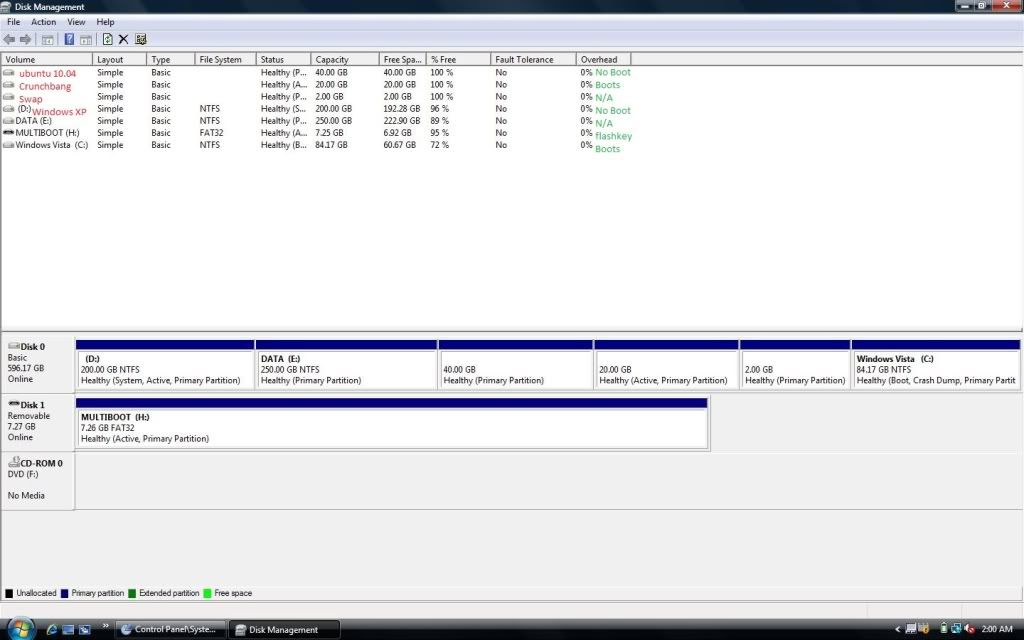
Ok, I have botched somehow, don't quite remember what I have done to do it, my BCD files to Vista and XP.
Here is what I have tried to fix it.
1. Hooked up the drive to a desktop and ran easyBCD without effect.
What I have noticed is that in Ubuntu I can see the XP and Vista partitions, inclooding teh Boot folder, boot.ini and bootmgr. I can not however view these files in ubuntu (with my knowledge). Is there any way that I can just go in and like replace the folders or something to restore them? I am sure that if I can fix Vista, XP will be detected and fall in line.
Here is what I have tried to fix it.
1. Hooked up the drive to a desktop and ran easyBCD without effect.
What I have noticed is that in Ubuntu I can see the XP and Vista partitions, inclooding teh Boot folder, boot.ini and bootmgr. I can not however view these files in ubuntu (with my knowledge). Is there any way that I can just go in and like replace the folders or something to restore them? I am sure that if I can fix Vista, XP will be detected and fall in line.