New CPU and Motherboard upgrade not seeminly working!

somerled76

New Member
Hello all.
I have just upgraded my Dad's PC from a AMD Athlon 1.53Ghz A MSI MS-6340M Motherboard with 736MB RAM, to a new AMD Athlon 64 on a Biostar MCP6P M2+ motherboard. I removed the old motherboard and inserted the new one with out issue, connecting all of the internal devices. The only thing I was unsure of, was connecting the HDD and the CDWR using the same IDE cable. Not sure if i needed to upgrade the HDD to a SATA. I throughly checked all connections etc a good few times.
On start up the machine switches on the HDD led lights, the fans run and then nothing. No sound, nothing on the monitor, no start up sequence or any thing. I was hoping that it was just going to be a simple case of plug and play!
The operating system-XP Home- is on the HDD which hasn't changed.
Any suggestions would be most appreciated.
 
You can run a hard drive off the same IDE cable as your CDRW, but
you may have to make sure the hard drive jumper is set to Master
and the CDRW is set to Slave.
 
As long as you have one drive set as Master and one as Slave on the IDE cable you are fine, But set the harddrive as Master..

But you will probable have to reinstall windows or atleast do a repair install.

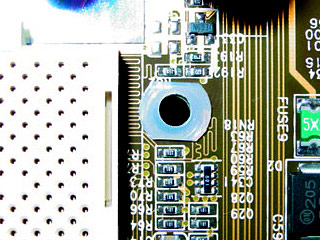
Did you make sure all the standoffs under the board were in all the right places when you swapped them out?
 
Jumpers on the back on the drives.
08-optical-jumper.jpg
 
As long as you have one drive set as Master and one as Slave on the IDE cable you are fine, But set the harddrive as Master..

But you will probable have to reinstall windows or atleast do a repair install.

Did you make sure all the standoffs under the board were in all the right places when you swapped them out?

By standoffs, do you mean where the motherboard is secured to the PC case? It fitted in no problems. There are 5 screws and one plastic spacer in the top left hole.

I just tried swapping the IDE connection on the HDD to the middle one disconnecting the CDRW. Still no joy.
Is it possible to get the 2 pin reset connection and te rest of those back to front?
 
Jumpers on the back on the drives.
08-optical-jumper.jpg

Wow it's true you do learn something new every day. Thank you. The CDRW is set to the middlepair of pins so I assume that that will be the slave.
For the HDD it is a seagate st360020a there are four pairs of pins!! The jumper is across the left pair, the ones at the IDE connection side.
 
So your sure the standoffs were in all the right places, like not one grounding out under the board that wasnt under a grounding hole on the board. The metal standoffs only go under these.
max_at7_interference.jpg
 
Wow it's true you do learn something new every day. Thank you. The CDRW is set to the middlepair of pins so I assume that that will be the slave.
For the HDD it is a seagate st360020a there are four pairs of pins!! The jumper is across the left pair, the ones at the IDE connection side.


Just checked, found a diagram on the top of the HDD. It is set to 'Master or single drive'.
 
So your sure the standoffs were in all the right places, like not one grounding out under the board that wasnt under a grounding hole on the board. The metal standoffs only go under these.
max_at7_interference.jpg

Oh bugger, not sure, will have to take it out and have a look.
Is it marked which should be a standoff and which should be a grounding one?
 
Last edited:
Oh bugger, not sure, will have to take it out and have a look.
Is it marked which should be a standoff and which should be a grounding one?

Any place where you have a hole in the motherboard with the metal around it is the only place you should have standoffs, if not then it could be shorting/grounding a trace on the motherboard.
 
Any place where you have a hole in the motherboard with the metal around it is the only place you should have standoffs, if not then it could be shorting/grounding a trace on the motherboard.

Just checked, sounds like the mother board is fitted correctly, each hole has metal around it and they sit on a raised metal dome (part of the metal surround of the case).
Cheers
 
Just checked, sounds like the mother board is fitted correctly, each hole has metal around it and they sit on a raised metal dome (part of the metal surround of the case).
Cheers

Have you checked that the 24pin power cable, etc are in correctly, that the ram is inserted fully, etc?
 
Have you checked that the 24pin power cable, etc are in correctly, that the ram is inserted fully, etc?

Just put the machine back together. The 24 pin power cable seems very secure (there is space for 28 pins). The 4 pin power connector hasn't been used.
When i switch the machine on the HDD LED is on continually, but nothing from the power LED.
All connections seem secure and are where they are supposed to be.
 
Back
Top