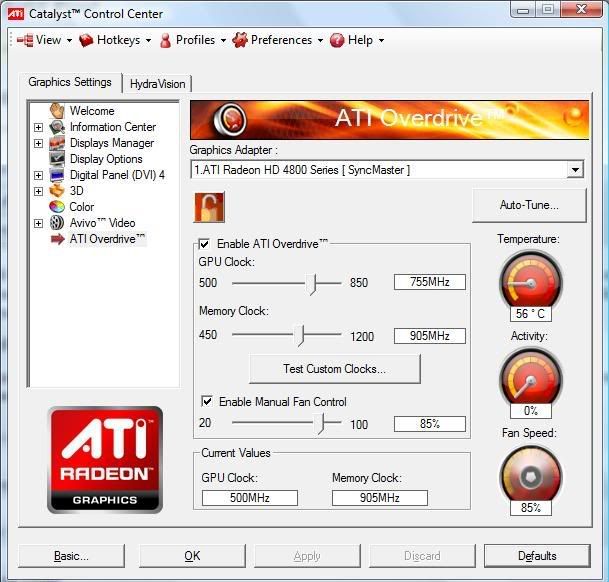
If the above down work in registry editor do This. Its the same.
Make a profile in catalyst after turning on Overdrive and make sure clock and memory settings are correct.
For Vista
Then go to the following location and open the following file for editing "C:\Users\Your Windows ID\AppData\Local\ATI\ACE\Your CCC Profile.XML. The xml file will have the same name as the Catalyst Profile you saved. right click and hit edit.
For XP
Then go to the following location and open the following file for editing "C:\Documents and Settings\Your Windows ID\Local Settings\Application Data\ATI\ACE\Your CCC Profile.XML. The xml file will have the same name as the Catalyst Profile you saved. right click and hit edit.
Now go down the page until you see the following lines in the XML file ...
<Feature name="FanSpeedAlgorithm_0">
<Property name="FanSpeedAlgorithm" value="Automatic" />
</Feature>
<Feature name="FanSpeedRPMTarget_0">
<Property name="Want" value="0" />
</Feature>
<Feature name="FanSpeedPercentTarget_0">
<Property name="Want" value="23" />
Change the "Property name="FanSpeedAlgorithm" value=" from "Automatic" to "Manual"
Then change "Property name="Want" value=" from "23" to your desired fan speed.
Save the file then reload the Profile you just edited in the CCC.
You will have to select the profile everytime you re-start the computer.
Be sure to also set:
<Feature name="FanSpeedRPMTarget_0">
<Property name="Want" value="0" />