kylebannon
New Member
"Display driver stopped responding and has recovered."
Display driver AMD driver stopped responding and has successfully recovered
About a month ago I purchased a new computer. The graphics card that came with it was not as good as my old computer, so I decided to get a new one for my new computer.
The graphics card that came with the machine was a NVIDIA GeForce GT 520. I was playing computer games on one monitor while browsing and watching videos on my second monitor. Although this was a low end card, it still worked fine.
Today I bought a Radeon HD 7770 card and installed it. whenever I open up a game (example World of Warcraft) and log in I get a black screen and the error message stated above. I sometimes have to log off via task manager because it will repeatedly do this.
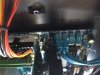
When installing the card, I noticed it touched my SATA3 port (see attached). After long deliberation I decided to move my SATA2 and SATA3 TO SATA1 and SATA2. I don't know if this would affect it in anyway, but a friend assured me it wouldn't.
My computer specs are the following:
Operating System: Windows 7 Home Premium 64-bit (6.1, Build 7601) Service Pack 1 (7601.win7sp1_gdr.120503-2030)
Language: English (Regional Setting: English)
System Manufacturer: Gigabyte Technology Co., Ltd.
System Model: M68MT-S2
BIOS: Award Modular BIOS v6.00PG
Processor: AMD FX(tm)-4100 Quad-Core Processor (4 CPUs), ~3.6GHz
Memory: 8192MB RAM
Available OS Memory: 8190MB RAM
Page File: 2455MB used, 13924MB available
DirectX Version: DirectX 11
DX Setup Parameters: Not found
User DPI Setting: Using System DPI
System DPI Setting: 96 DPI (100 percent)
DWM DPI Scaling: Disabled
DxDiag Version: 6.01.7601.17514 32bit Unicode
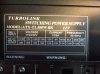
Power Supply is 500 Watts. Card said it required 450 Watts and up.
I have already tried uninstalling my driver and reinstalling. Any help would be appreciated, and if I posted in the wrong section if someone could kindly lead me in the right direction. Any further information needed let me know.
Thank you.
Display driver AMD driver stopped responding and has successfully recovered
About a month ago I purchased a new computer. The graphics card that came with it was not as good as my old computer, so I decided to get a new one for my new computer.
The graphics card that came with the machine was a NVIDIA GeForce GT 520. I was playing computer games on one monitor while browsing and watching videos on my second monitor. Although this was a low end card, it still worked fine.
Today I bought a Radeon HD 7770 card and installed it. whenever I open up a game (example World of Warcraft) and log in I get a black screen and the error message stated above. I sometimes have to log off via task manager because it will repeatedly do this.
When installing the card, I noticed it touched my SATA3 port (see attached). After long deliberation I decided to move my SATA2 and SATA3 TO SATA1 and SATA2. I don't know if this would affect it in anyway, but a friend assured me it wouldn't.
My computer specs are the following:
Operating System: Windows 7 Home Premium 64-bit (6.1, Build 7601) Service Pack 1 (7601.win7sp1_gdr.120503-2030)
Language: English (Regional Setting: English)
System Manufacturer: Gigabyte Technology Co., Ltd.
System Model: M68MT-S2
BIOS: Award Modular BIOS v6.00PG
Processor: AMD FX(tm)-4100 Quad-Core Processor (4 CPUs), ~3.6GHz
Memory: 8192MB RAM
Available OS Memory: 8190MB RAM
Page File: 2455MB used, 13924MB available
DirectX Version: DirectX 11
DX Setup Parameters: Not found
User DPI Setting: Using System DPI
System DPI Setting: 96 DPI (100 percent)
DWM DPI Scaling: Disabled
DxDiag Version: 6.01.7601.17514 32bit Unicode
Power Supply is 500 Watts. Card said it required 450 Watts and up.
I have already tried uninstalling my driver and reinstalling. Any help would be appreciated, and if I posted in the wrong section if someone could kindly lead me in the right direction. Any further information needed let me know.
Thank you.