looking to upgrade my video card an really don't know what to get. it's been so long since I've bought one I really have no idea what's good, bad and ugly. as for what I need, I'm not looking to spend a fortune, and I only have a 460w power supply to work with. I have no desire to upgrade the power supply. the rest of the computer is, IMO, solid. I have a 3.4 Ghz i7 2600 and 8 gigs of ram. I'm just trying to find out what card would give me the most bang for the buck while fitting in under the 460w PSU. I'd just like to be able to play some of the more demanding games coming out without an expensive upgrade. being able to set everything to max with 400 fps isn't important. just want playable with med-high settings.

You are using an out of date browser. It may not display this or other websites correctly.
You should upgrade or use an alternative browser.
You should upgrade or use an alternative browser.
need help picking a card
- Thread starter jd10013
- Start date

claptonman
New Member
Open up the computer and get the make and model of the power supply.

Okedokey
Well-Known Member
Impossible, you need to find out. There will be a sticker on it, you may have to remove 4 screws at the back and lift it out. Good opportunity to dust it out anyway. Without that and based on the low quality it appears to be, you cannot put any graphics card in there with a 2600K etc.
Without confirming the PSU make and model, you risk damaging your computer seriously.
Without confirming the PSU make and model, you risk damaging your computer seriously.
ok, it's a dell brand OEM PSU model D460A D-00
here is a pic
CpjuRg~~60_57.JPG)
but now I have a couple other questions. first of, are the two plugs at the top, yellow and black wire, 6 pin pci plugs?
second, this is a pic I got of the internet. just how hard would it be to replace it myself, and are PSU standard enough that any PSU will have the correct amount and types of connectors I need, or will the proprietary dell MB cause me problems?
I always intended to either have the PSU replaced, or do it myself. I knew when I bought the computer 460w would be a problem down the road.
here is a pic
but now I have a couple other questions. first of, are the two plugs at the top, yellow and black wire, 6 pin pci plugs?
second, this is a pic I got of the internet. just how hard would it be to replace it myself, and are PSU standard enough that any PSU will have the correct amount and types of connectors I need, or will the proprietary dell MB cause me problems?
I always intended to either have the PSU replaced, or do it myself. I knew when I bought the computer 460w would be a problem down the road.
what's a 12v rail?. the computer currently has a radeon 6670 card. I'm lookiing to upgrade as much as I can without replacing the PSU. I've noticed though, that some cards require power directly from the PSU. my current 6670 is just plugged into the PCI-e slot on the MB, not direct connection to the PSU. Is that what the 2 plugs at the top of the picture are? in my case, they are not connected to anything.
also, how hard would it be to replace the PSU myself if I choose to go that route in order to upgrade to a more powerful card? I know the 460W is going to really limit what I can get.
I've talked to a computer shop, and they gave me a price of about $100 for a 700W PSU (didn't specify brand) and about $150 for a radeon 6790 and $85 to put it in.
Primarily, I'm looking for a card that will play Dishonored when it comes out in Oct. accrding system requirements lab, my 6670 wont cut it. I also want a card that will play Bioshock infinite whenever it's released.
also, how hard would it be to replace the PSU myself if I choose to go that route in order to upgrade to a more powerful card? I know the 460W is going to really limit what I can get.
I've talked to a computer shop, and they gave me a price of about $100 for a 700W PSU (didn't specify brand) and about $150 for a radeon 6790 and $85 to put it in.
Primarily, I'm looking for a card that will play Dishonored when it comes out in Oct. accrding system requirements lab, my 6670 wont cut it. I also want a card that will play Bioshock infinite whenever it's released.
Last edited:

They are easy to switch out and yes, those 2 plugs are for the video card. But that psu won't be powerful enough to push a decent card. Are they quoting you total install price of just part price? You can get this psu for $59
http://www.newegg.com/Product/Product.aspx?Item=N82E16817139027
This video card for $169
http://www.newegg.com/Product/Product.aspx?Item=N82E16814102948
total of $230 and you can do it yourself.
http://www.newegg.com/Product/Product.aspx?Item=N82E16817139027
This video card for $169
http://www.newegg.com/Product/Product.aspx?Item=N82E16814102948
total of $230 and you can do it yourself.
the breakdown was 100 psu, 150 card, and 85 to put it in.
now, will that fit in my case, and is it just a matter or removing the 4 screws in the back. never done this before. also, how good is that card? i've completely lost track of whats what on video cars. I don't want to spend a fortune on one, but I likewise don't want something that will be obsolete in 6 months
now, will that fit in my case, and is it just a matter or removing the 4 screws in the back. never done this before. also, how good is that card? i've completely lost track of whats what on video cars. I don't want to spend a fortune on one, but I likewise don't want something that will be obsolete in 6 months
Last edited:
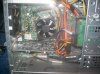
there's about 4 inches from the end of the card to the HDD. the HDD is about 2 inches higher than the card, and sticks out about 2 inches from the cage. so there is about 6 inches form the back of the cage to the card, 4 inches from the back of the HDD to the card. actually, from the very back of the computer (not sure what an I/O plate is) there is about 12 inches.. there is nothing below the card but 3 empty slots, but they're much smaller than the one the card is plugged into. it's the only slot that size. above the card, there is about 2 inches between it and cooling fan for the cpu. but about halfway between the fan and the card there is a capacitor on the MB. the card fan is on the bottom of it.
so, plenty of room behind and below the card, but very little above it. the inside of the case is quite roomy.
so, plenty of room behind and below the card, but very little above it. the inside of the case is quite roomy.
Attachments
Last edited:
Okedokey
Well-Known Member
They are easy to switch out and yes, those 2 plugs are for the video card. But that psu won't be powerful enough to push a decent card. Are they quoting you total install price of just part price? You can get this psu for $59
http://www.newegg.com/Product/Product.aspx?Item=N82E16817139027
This video card for $169
http://www.newegg.com/Product/Product.aspx?Item=N82E16814102948
total of $230 and you can do it yourself.
This +1
there's about 4 inches from the end of the card to the HDD. the HDD is about 2 inches higher than the card, and sticks out about 2 inches from the cage. so there is about 6 inches form the back of the cage to the card, 4 inches from the back of the HDD to the card. actually, from the very back of the computer (not sure what an I/O plate is) there is about 12 inches.. there is nothing below the card but 3 empty slots, but they're much smaller than the one the card is plugged into. it's the only slot that size. above the card, there is about 2 inches between it and cooling fan for the cpu. but about halfway between the fan and the card there is a capacitor on the MB. the card fan is on the bottom of it.
so, plenty of room behind and below the card, but very little above it. the inside of the case is quite roomy.
Then you should be fine.
This +1
I just don't want to mess anything up. I've changed drives, memory and cars, but never done a PSU before. I only bought this thing about 8 or 10 months ago, and the only bottle neck is the video card and PSU. I've got a 3.4 GHZ i7 2600 and 8 gigs of ram. when I bought it I knew I'd have to replace the PSU and video card at some point, I just didn't think it would be now.
Last edited:
Okedokey
Well-Known Member
I just don't want to mess anything up. I've changed drives, memory and cars, but never done a PSU before. I only bought this thing about 8 or 10 months ago, and the only bottle neck is the video card and PSU. I've got a 3.4 GHZ i7 2600 and 8 gigs of ram. when I bought it I knew I'd have to replace the PSU and video card at some point, I just didn't think it would be now.
That is the easiest computer to work on ever.
You have already removed the PSU, now remove the graphics card. Get rid of case dust, install the new PSU, then install the graphics card. Install drivers. Done.
Okedokey
Well-Known Member
one other thing, the recommended PSU for that card is 600W. the PSU linked is only 500W. shouldn't I look at something more powerful?
Wattage means little. The recommendations are there to account for the people who buy the cheapest possible PSU (most). At 600W, even the cheap ones should have sufficient 12V rail amperage (the important number). So your 500W Corsair will have more 12V rail amperage that a lot of cheap 600W PSUs.