Are There any Nasties Left? HJT log included

still no success...also..all the users are administrators. If I could get rid of the scrip error i's just delete the user and set up a new one.
Anyway, here's the log from the smitfraud program

SmitFraudFix v2.242

Scan done at 19:33:36.42, Sun 10/28/2007
Run from C:\recovery\SmitfraudFix\SmitfraudFix
OS: Microsoft Windows XP [Version 5.1.2600] - Windows_NT
The filesystem type is NTFS
Fix run in safe mode

»»»»»»»»»»»»»»»»»»»»»»»» SharedTaskScheduler Before SmitFraudFix
!!!Attention, following keys are not inevitably infected!!!

SrchSTS.exe by S!Ri
Search SharedTaskScheduler's .dll

»»»»»»»»»»»»»»»»»»»»»»»» Killing process


»»»»»»»»»»»»»»»»»»»»»»»» hosts

127.0.0.1 localhost

»»»»»»»»»»»»»»»»»»»»»»»» Winsock2 Fix

S!Ri's WS2Fix: LSP not Found.


»»»»»»»»»»»»»»»»»»»»»»»» Generic Renos Fix

GenericRenosFix by S!Ri


»»»»»»»»»»»»»»»»»»»»»»»» Deleting infected files


»»»»»»»»»»»»»»»»»»»»»»»» DNS


»»»»»»»»»»»»»»»»»»»»»»»» Deleting Temp Files


»»»»»»»»»»»»»»»»»»»»»»»» Winlogon.System
!!!Attention, following keys are not inevitably infected!!!

[HKEY_LOCAL_MACHINE\SOFTWARE\Microsoft\Windows NT\CurrentVersion\Winlogon]
"System"=""


»»»»»»»»»»»»»»»»»»»»»»»» Registry Cleaning

Registry Cleaning done.

»»»»»»»»»»»»»»»»»»»»»»»» SharedTaskScheduler After SmitFraudFix
!!!Attention, following keys are not inevitably infected!!!

SrchSTS.exe by S!Ri
Search SharedTaskScheduler's .dll


»»»»»»»»»»»»»»»»»»»»»»»» End
 
OK, firstly uninstall Internet Explorer 7, since it can be responsible for a lot of these errors. You can try reinstalling it again once these problems are fixed up.

Secondly, follow steps 1-9 at http://kb.adobe.com/selfservice/viewContent.do?externalId=fb1634cb&sliceId=2 (I know it's for a different problem, but the idea behind it is to ensure correct access to all registry settings).

Thirdly, click on Start -> Run. Type in cmd and click OK to bring up the command prompt. Type the following commands one at a time pressing Enter at the end of each line:
cd %windir%\system32
for /f %s in ('dir /b *.dll') do regsvr32 /s %s


Reboot, and see if the User Account problem remains.
 
Last edited:
do I run the SubinACL in any user account or do I have to run it in all 3 user accounts?

Also..."control panel/user accounts" the script error has disappeard but the big white box appears with no options except for the home, back arrow and forward arrow. Also the link you gave me to the adobe page doesn't display all the text. I had to read the instructions on another pc.
 
ok...done everything. I have the text back, I have the user accounts back to normal. THANKYOU
:)
The only thing left is the dreaded wallpaper issue. I still cant load any of the pics as a wallpaper.
any more ideas for that one? ( i'm thinking it's gotta be a registry prob?)
 
Glad to hear that worked. As for the wallpaper problem, I agree it's almost certainly registry settings. I've attached a zip file to this post. Please download it and run first fixreg1.reg and then fixreg2.reg in the affected account. Answer yes when asked whether you want to merge the information with the registry. See if that fixes the problem, and tell me if you get any errors when running either of the registry files.
 

Attachments

Last edited:
fixreg1 worked
fix reg2 didn't. I got this error message..."Cannot import C:\documents and settings\kids\desktop\fixreg\fixreg2.reg:Error accessing the registry"
 
Unfortunately, there are quite a few ways to block the desktop background from being changed. Try this one:

In the affected account, Click on Start -> Run. Type in gpedit.msc and click OK. This will open the Group Policy Editor.
  • Expand User Configuration (if it isn't already expanded)
  • Expand Administrative Templates
  • Expand Control Panel
  • Click on Display
  • On the right hand side, double click on Prevent changing wallpaper
  • Click Disabled
  • Click OK
  • Close the Group Policy Editor
See if that allows you to change the background.
 
hi there,

tried this twice. Once typing in the file name and once copying/pasting from your post. Both times I got an eror message...
" Windows cannot find 'gpedit.msc'. Make sure you typed the name correctly then try again."
I searched the entire pc for this file name and it came up empty as well.
 
My mistake, the Group Policy Editor is for XP Pro only, which for some reason I thought you had. I'll have some more suggestions for you later - right now my Internet connection is barely staying on for long enough for me to post this (darned ISP!)
 
Firstly, try running the Kellie's Corner registry file again (http://www.kellys-korner-xp.com/regs_edits/wallpaperenable.reg). I'd like to know if you still get the same error since changing the permissions. See if the problem remains.

If that doesn't work, I'd like to see the registry keys in question, to see what's causing this problem. Please copy and paste the text in the codebox below into a new notepad document. Please do not include the word Code:
Code:
Reg export HKEY_CURRENT_USER\Software\Microsoft\Windows\CurrentVersion\Policies registry.txt

Save the file to your desktop as registry.bat and make sure the "Save as type" field says "All files". Double click on it, it will briefly flash up a command box and produce a text file, registry.txt on the desktop. You may need to press F5 to refresh the screen before you can see that text file. Please attach registry.txt to your next reply.
 
Last edited:
That's really odd - those settings are the default ones, which means that none of the registry changes we've run have had any effect. It may actually be quicker to create a new User Account and copy your files over, but if you'd prefer to continue here's the next step.

This is quite possibly a permissions error, please click on Start -> Run and type in regedit.exe to access the Registry Editor. Navigate to the following key: HKEY_CURRENT_USER\Software\Microsoft\Windows\CurrentVersion\Policies

Right click on Policies and choose Permissions. Tell me if "Full Control" is ticked. If it isn't, tick it. Click on Advanced, tick "Inherit from parent the permissions..." and click Apply and OK.

Try running the Kellys corner fix once again.

Once done, I've got another batch file for you to run, which will let me see if those changes have made any effect, as well as give me a bit more info.

Please copy and paste the text in the codebox below into a new notepad document. Please do not include the word Code:
Code:
regedit.exe /e PoliciesLM.txt HKEY_LOCAL_MACHINE\SOFTWARE\Microsoft\Windows\CurrentVersion\policies
regedit.exe /e PoliciesCU.txt HKEY_CURRENT_USER\Software\Microsoft\Windows\CurrentVersion\Policies
regedit.exe /e PoliciesSW.txt HKEY_CURRENT_USER\Software\Policies

Save the file to a permanent folder as registry.bat and make sure the "Save as type" field says "All files". Double click on it, it will briefly flash up a command box and produce three text files - PoliciesLM, PoliciesCU and PoliciesSW in the folder which you ran the fix. You may need to press F5 to refresh the screen before you can see that text file. Please attach these three files to your next post.
 
under policies /Full Control and Read had no checks for both allow and deny.
The only check was for special permissions and it was greyed out(allow)
Also I noted that above that under "group or user names" there are only 2 listed...
Administrators(TBR\Administrators)
and SYSTEM

(shouldn't the problem user kids\skinny" be listed there as well?)...i added skinny to this list and ran kelly-s korner again and it accepted the registry fix. But still made no difference.

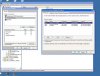
So, I am attaching a screen print from the time I added user skinny to the registry/policies/permissions....I'm not sure if this was right to do though???????

NEXT.......
I ran the 3 codebox texts as requested but only 2 files were generated. There was no "policiesSW"
 

Attachments

Couldn't attch both txt logs...(Exceeded quota)
here is the LM file copy and pasted...


indows Registry Editor Version 5.00

[HKEY_LOCAL_MACHINE\SOFTWARE\Microsoft\Windows\CurrentVersion\policies]

[HKEY_LOCAL_MACHINE\SOFTWARE\Microsoft\Windows\CurrentVersion\policies\Attachments]
"ScanWithAntiVirus"=dword:00000002

[HKEY_LOCAL_MACHINE\SOFTWARE\Microsoft\Windows\CurrentVersion\policies\Explorer]
"NoDriveAutoRun"=dword:03ffffff
"NoDriveTypeAutoRun"=dword:000000ff

[HKEY_LOCAL_MACHINE\SOFTWARE\Microsoft\Windows\CurrentVersion\policies\Explorer\Run]

[HKEY_LOCAL_MACHINE\SOFTWARE\Microsoft\Windows\CurrentVersion\policies\Ext]

[HKEY_LOCAL_MACHINE\SOFTWARE\Microsoft\Windows\CurrentVersion\policies\Ext\CLSID]
"{17492023-C23A-453E-A040-C7C580BBF700}"="1"
"{BA2CB6B1-03EE-4068-87CC-F5E4DD772A9B}"="1"
"{7E0FDFBB-87D4-43A1-9AD4-41F0EA8AFF7B}"="1"

[HKEY_LOCAL_MACHINE\SOFTWARE\Microsoft\Windows\CurrentVersion\policies\NonEnum]
"{BDEADF00-C265-11D0-BCED-00A0C90AB50F}"=dword:00000001
"{6DFD7C5C-2451-11d3-A299-00C04F8EF6AF}"=dword:40000021
"{0DF44EAA-FF21-4412-828E-260A8728E7F1}"=dword:00000020

[HKEY_LOCAL_MACHINE\SOFTWARE\Microsoft\Windows\CurrentVersion\policies\Ratings]

[HKEY_LOCAL_MACHINE\SOFTWARE\Microsoft\Windows\CurrentVersion\policies\system]
"dontdisplaylastusername"=dword:00000000
"legalnoticecaption"=""
"legalnoticetext"=""
"shutdownwithoutlogon"=dword:00000001
"undockwithoutlogon"=dword:00000001

[HKEY_LOCAL_MACHINE\SOFTWARE\Microsoft\Windows\CurrentVersion\policies\Uninstall]
 
With regards to your homepage issue, open up Spybot and go to the "Immunize" section.
Is "Lock IE Start Page Settings" ticked?
If so, uncheck it.

Please run HijackThis and choose Do a system scan only.

Place a check next to the following entries:
Please close all open windows except for HijackThis and choose Fix checked

With regards to your desktop background issue, can you please tell me exactly what happens when you try to change the background? Does it change and change back, is the apply button greyed out, etc...
 
only 1 of those R1 registry keys were there..so i fixed that one. Didn't help.
There was another very similar entry but it was R0....so i checked that one and fixed it. Got rid of the search marketing page , now it keeps reverting back to msn.com.


With regards to the background....


Right click on a space on the desktop/properties/
under theme tab .......=modified theme
under desktop tab......= background highlighted is NONE with a red circle and a diagonal line through the circle
If i click on one of the pictures for example "autum" and click apply nothing happens.(it will show the pic in the desktop icon as to how the new picture will look but it won't actually change the desktop..it remains blue)

HOWEVER...
If I click on a colour option it will change the desktop to a different solid colour.
 
sorry , forgotto mention...when i opened up spybot there was no
Lock IE Start Page Settings

there was a check next to "enable permanent blocking of bad addresses in Internet Explorer" and then it said "block all pages silently"


So I unchcked that before running HJT.
 
With regards to the home page, try the ideas at http://www.fjsmjs.com/IE/homepage.htm.

With regards to the desktop background, try this:

Set Windows to show hidden files:
  • Click Start.
  • Open My Computer.
  • Select the Tools menu and click Folder Options.
  • Select the View Tab.
  • Under the Hidden files and folders heading select Show hidden files and folders.
  • Uncheck the Hide protected operating system files (recommended) option.
  • Click Yes to confirm.
  • Click OK.

Navigate to C:\Documents and Settings\(user name)\Local Settings\Application Data\Microsoft. (Replace (user name) with the user name of the affected account). Is there a file called Wallpaper1.bmp there? If so, what is it? Try renaming it to Wallpaper1_old.bmp and see if that changes anything. Also, try right clicking on a picture and choose Set as Desktop Background. Does that change the background?
 
Back
Top