
You are using an out of date browser. It may not display this or other websites correctly.
You should upgrade or use an alternative browser.
You should upgrade or use an alternative browser.
Authentication Failure
- Thread starter Fooozball
- Start date


wolfeking
banned
that could be a wine problem, not a driver issue. Wine is at best hit and miss. I have yet to get a game to work under wine. The closest that I had was getting video, but no mouse integration or sound. Not the best FPS with that kinda error.
Office applications are much better in wine though.
Office applications are much better in wine though.
wolfeking
banned
as was said, WINE is hit and miss. It is not meant to be a complete windows replacement, but more of a temporary measure.
You may want to look into an application called "play on linux" i think its in the software center under games. It is a compatibility layer geared tord games.
You may want to look into an application called "play on linux" i think its in the software center under games. It is a compatibility layer geared tord games.

NyxCharon
Active Member
Play on linux is just a poorly coded gui that attempts to use winetricks to get products to work. More often though, it fails miserably.
CS:S will run fine on there. Check this page:
http://appdb.winehq.org/objectManager.php?sClass=version&iId=3731
all the tweaks/steps needed are on that site.
Also might want to grab winetricks (it's a script) as well.
http://winetricks.org/winetricks
Right click it, save as winetricks.sh
run it in a terminal with (have to cd to the directory you downloaded it to first) so something like this:
cd /usr/yourusernamehere/downloads
sh winetricks.sh
From there, just answer it's instructions, and should help you out.
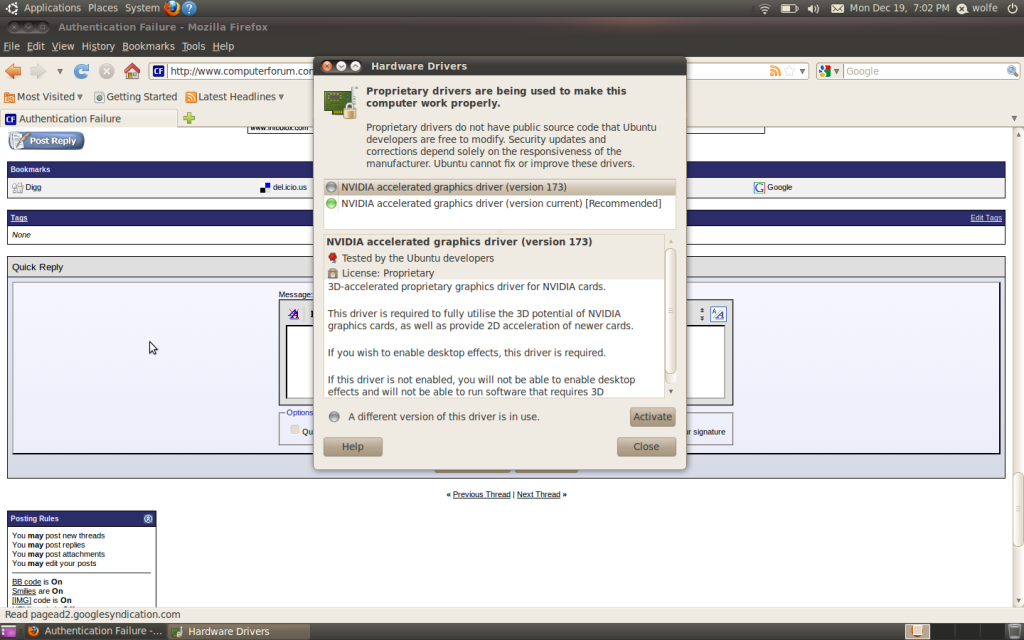
And yes, it looks like your drivers are correctly installed.
CS:S will run fine on there. Check this page:
http://appdb.winehq.org/objectManager.php?sClass=version&iId=3731
all the tweaks/steps needed are on that site.
Also might want to grab winetricks (it's a script) as well.
http://winetricks.org/winetricks
Right click it, save as winetricks.sh
run it in a terminal with (have to cd to the directory you downloaded it to first) so something like this:
cd /usr/yourusernamehere/downloads
sh winetricks.sh
From there, just answer it's instructions, and should help you out.
And yes, it looks like your drivers are correctly installed.
NyxCharon
Active Member
Alright, let me boot into linux and i'll see what I can do. I might have specified the wrong path by accident.
Edit: I was right, wrong path.
It should be like:
charon@crunchbang:~$ cd /home/charon/downloads
charon@crunchbang:~/downloads$ sh winetricks.sh
However, there's nothing specific to CS:S in it. It might be needed for other things though.
According to wineHQ after install through steam:
Select only "ALSA" sound driver in winecfg. OSS does not work anymore because Steam itself has sound open.
So run winecfg in a terminal.
Should pop this up. Make sure Alsa is the only selected sound driver ( I removed all the others one a while ago)
http://ompldr.org/vYnU0aQ/screen.png
Afterwords, in a terminal to start steam before CS, run:
cd ~/.wine/drive_c/Program\ Files/Steam && WINEDEBUG=-all wine steam -applaunch 240
Assuming you installed it to the default spot. This should get it to work. If not, let me know and we can try some other fixes.
Edit: I was right, wrong path.
It should be like:
charon@crunchbang:~$ cd /home/charon/downloads
charon@crunchbang:~/downloads$ sh winetricks.sh
However, there's nothing specific to CS:S in it. It might be needed for other things though.
According to wineHQ after install through steam:
Select only "ALSA" sound driver in winecfg. OSS does not work anymore because Steam itself has sound open.
So run winecfg in a terminal.
Should pop this up. Make sure Alsa is the only selected sound driver ( I removed all the others one a while ago)
http://ompldr.org/vYnU0aQ/screen.png
Afterwords, in a terminal to start steam before CS, run:
cd ~/.wine/drive_c/Program\ Files/Steam && WINEDEBUG=-all wine steam -applaunch 240
Assuming you installed it to the default spot. This should get it to work. If not, let me know and we can try some other fixes.
Last edited: