Ok... I got the solution.... I've had this running for the past week and it works great, other than it only being 1080i quality....
So what I did was bought two Avermedia AverTV HD Capture Cards @ about $95 ea... Each had one hdmi input..... put one in and loaded software.... put other in and it found it right away, and so through the original software it established that one was a default/primary, and the other was in addition to.... So I only had to load the provided software once....
After the fact I am able to use the avermedia software as a viewing software for the hdmi inputs... I can record if I want to, but don't have to.... So by having the two cards I now have two hdmi inputs and can now open a window through my windows 7 desktop and watch live tv through the remote on my dish receiver or play playstation in the same manner....
Now to run both inputs at once on the same display, Its not exactly what I had in mind but does work well... If I am watching lets say a football game on my dish receiver I can push a "PIP" button on my avermedia viewer window and in the corner of the window my PS3 will be live as well... And with a click or two I can put the PS3 in the larger part of the window and the Dish Receiver will be in the corner....
I orginally wanted Two Seperate Windows but One with PIP works well enough to satisfy me for now.... I believe the only solution for this would be to run a different brand viewing software for one of the capture cards, but as of now don't know which will do job....
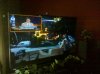
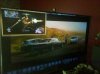
I thought I'd post a picture showing a baseball game in the PIP, PS3 in the main window, and a movie in the backround desktop, and the radio(pandora) playing as well, but obviously you cant hear the radio through a picture... the other pic is showing just the two inputs in the one window, ESPN & PS3....
So what I did was bought two Avermedia AverTV HD Capture Cards @ about $95 ea... Each had one hdmi input..... put one in and loaded software.... put other in and it found it right away, and so through the original software it established that one was a default/primary, and the other was in addition to.... So I only had to load the provided software once....
After the fact I am able to use the avermedia software as a viewing software for the hdmi inputs... I can record if I want to, but don't have to.... So by having the two cards I now have two hdmi inputs and can now open a window through my windows 7 desktop and watch live tv through the remote on my dish receiver or play playstation in the same manner....
Now to run both inputs at once on the same display, Its not exactly what I had in mind but does work well... If I am watching lets say a football game on my dish receiver I can push a "PIP" button on my avermedia viewer window and in the corner of the window my PS3 will be live as well... And with a click or two I can put the PS3 in the larger part of the window and the Dish Receiver will be in the corner....
I orginally wanted Two Seperate Windows but One with PIP works well enough to satisfy me for now.... I believe the only solution for this would be to run a different brand viewing software for one of the capture cards, but as of now don't know which will do job....
I thought I'd post a picture showing a baseball game in the PIP, PS3 in the main window, and a movie in the backround desktop, and the radio(pandora) playing as well, but obviously you cant hear the radio through a picture... the other pic is showing just the two inputs in the one window, ESPN & PS3....