DX error

Reburn the ISO, remove all non-necessary hardware, and set bios to default.

Once up in Windows you can reinstate. Thats what i always do.

Consider creating a slipstreamed iso Windows install. That way you can add all of your applications, settings... everything as you like into an install iso.

I simply make my machine do incremental backups and then re-image once a week. No need for antivirus as all files are sandboxed.

Takes a bit of doing, but when its set up, it manages itself.
 
One thing at a time bigfella. Everything is in it. the Graphics has got to stay. I don't have a cable that will run the ports of the integrated. RAM is 8GB and Memtested. DVD drive is fine, I think. CPU and cooler is there. as well as one hard drive.

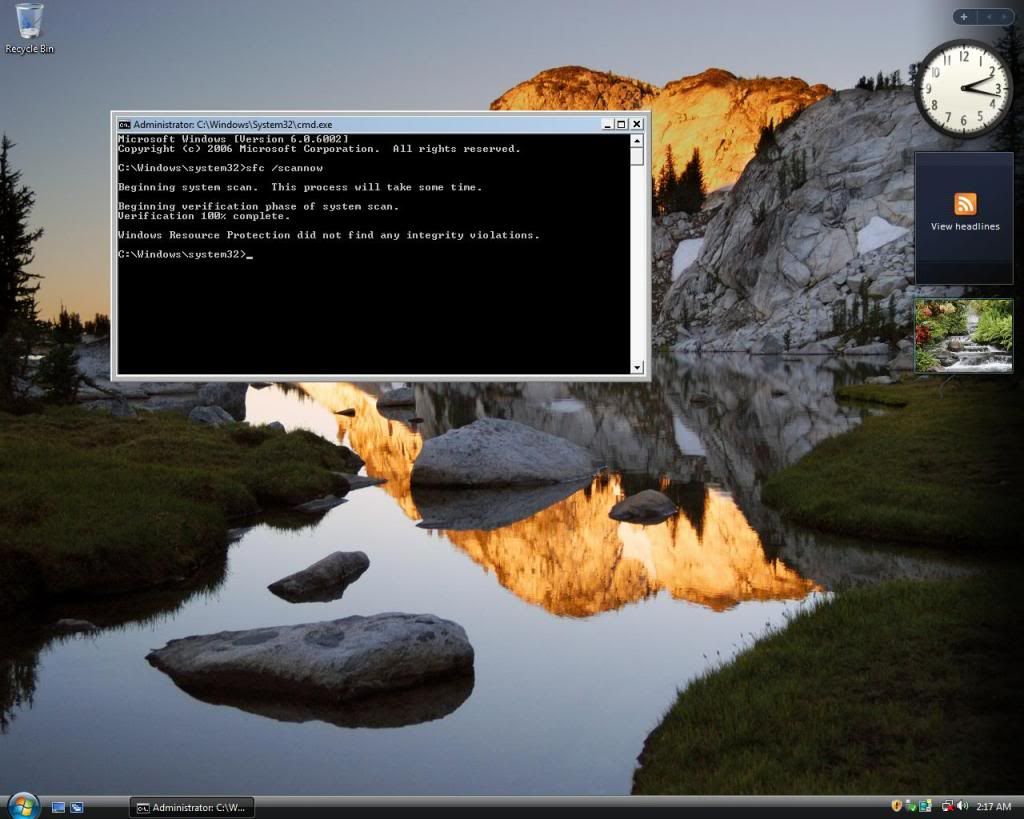
Reburned the iso, installed and it is still saying that there are corrupt files using sfc /scannow. What I am going to do now is try my Vista ultimate 64 bit USB image to see if it will install. It may be an issue with my DVD dirve, yes?
 
Download the ISO and use Windows USB tool to install.

Boot to USB, install (takes 10 min lol).

Just delete the partition and do nothing else (e.g. don't format) when installing Windows.
Remove all USB as possible.
Reset BIOS.
 
As far as I know, the only USB port that is running is the one that is the reciever to the keyboard and mouse, so that should be good. I already have the iso downloaded, the vista iso, on my M90. The windows 7 iso would take hours to download. I can do that later if vista works, which it should.
 
Untitled-80.jpg


downloading Origin and BF3 now. Vista is working and shows no issues with corruption. Gunna transfer my 35ish GB of files over and format the toshiba drive and use it as a splash place for downloads to keep the main drive sorted and clean for now.
 
Back
Top