FLASH DRIVE FOR ITUNES QUESTION

Hello!
I have iTunes installed on my Windows 11 PC Desktop. There are 4,637 songs listed on my iTunes playlist. I have a flash drive with 256 GB to backup my iTunes songs. I only use that flash drive to backup my iTunes songs. Question: So how do I see on my flash drive if the amount of songs I have backed up matches with the amount I have on iTunes? I believe that all the songs should be backed up, but I want to see to be sure.
Mark
 
Itunes music is usually stored in the music folder in your user folder. So it would be something like this

C:\Users\[Username]\Music\iTunes

In that itunes folder, is a folder named itunes media, open that and that should be where your songs are stored. You can compare file sizes between whats there and whats on your usb.
 
Username would be your username that you use to access pc. You use windows explorer to access that drive location. Depending on what operating system you have, it could "My Computer" or "This PC"
 
I just want to know how many songs I have backed up on my flash drive. BTW, I am glad I checked here because Computer Forum is not notifying me again when someone replies. When I last mentioned it it started working for a while but now it's not again.
 
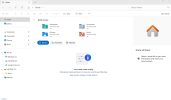
I don't believe Windows (C) has anything to do with my flash drive. Is there somewhere on the actual flash drive, or the yellow Music folder below it where Ican see how many songs I have?
 
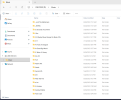
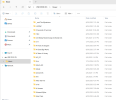
Looks like the closest amount I can get (with my limited knowledge) is "565 Items" but I assume those are only artist files and not the songs in them.

1787256893561.png
 

Attachments

  • 1787256813091.png
    1787256813091.png
    92.9 KB · Views: 2
Last edited:
Right click on music and click on properties. That will tell you how many files and bits of data are on there. Do the same with where your files are in itunes.
 
Back
Top