FLASH DRIVE FOR ITUNES QUESTION

Hello!
I have iTunes installed on my Windows 11 PC Desktop. There are 4,637 songs listed on my iTunes playlist. I have a flash drive with 256 GB to backup my iTunes songs. I only use that flash drive to backup my iTunes songs. Question: So how do I see on my flash drive if the amount of songs I have backed up matches with the amount I have on iTunes? I believe that all the songs should be backed up, but I want to see to be sure.
Mark
 
Itunes music is usually stored in the music folder in your user folder. So it would be something like this

C:\Users\[Username]\Music\iTunes

In that itunes folder, is a folder named itunes media, open that and that should be where your songs are stored. You can compare file sizes between whats there and whats on your usb.
 
Username would be your username that you use to access pc. You use windows explorer to access that drive location. Depending on what operating system you have, it could "My Computer" or "This PC"
 
I just want to know how many songs I have backed up on my flash drive. BTW, I am glad I checked here because Computer Forum is not notifying me again when someone replies. When I last mentioned it it started working for a while but now it's not again.
 
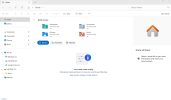
I don't believe Windows (C) has anything to do with my flash drive. Is there somewhere on the actual flash drive, or the yellow Music folder below it where Ican see how many songs I have?
 
Looks like the closest amount I can get (with my limited knowledge) is "565 Items" but I assume those are only artist files and not the songs in them.

1787256893561.png
 

Attachments

  • 1787256813091.png
    1787256813091.png
    92.9 KB · Views: 4
Last edited:
Right click on music and click on properties. That will tell you how many files and bits of data are on there. Do the same with where your files are in itunes.
 
Hi John! I'm back! :)
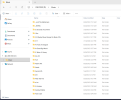
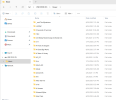
I did what you said and it says my USB DISK (D) 256 GB flash drive contains 8,179 Files and 2,168 Folders. But that doesn't tell me how many total songs I have. The screenshot that I sent you above says that I have 565 Items which has to be all of my Artist Files that I've backed up. What I want to know is how many total songs are in each of these 565 files? There has to be a way! I mean, I could easily open each of those 565 files one at a time, and physically count the songs in each file. But that would take a long time.......not to mention being tedious and boring.
 
Last edited:
I don't know what else to you. Have you tried to manually copy and paste your songs from itunes folder to your usb drive??? Thats the true way of copying everything in one go.
 
I don't know of any such yellow iTunes folder. Are you referring to my iTunes playlist? If so, my playlist won't allow me to drag over it to copy. That's OK, I think I'm gng to give up.
If my USB flash drive contains 8,179 files and my playlist shows 4,637 songs then I figure all of my songs should be backed up on my flash drive. Thanks John. Talk to you later.
 
Hi John!
OK I found this on my Google Search AI Mode:

My flash drive is for songs only. Where do I look to see how many I have backed up?
1:48 PM

To see how many songs are on your flash drive, plug it into your computer and follow these steps based on your system:

On Windows (File Explorer)
  • Open This PC.
  • Double-click your flash drive.
  • Open your music folder.
  • Press Ctrl + A to select all files.
  • Look at the bottom-left corner of the window for the total count. [1]

On Mac (Finder)
  • Open Finder.
  • Click your flash drive under Locations.
  • Open your music folder.
  • Press Cmd + A to select all files.
  • Press Cmd + Option + I to open the Summary Info window.
  • Read the Item Count at the top. [1]

If you want, tell me:
  • Whether you use a Windows PC or a Mac
  • If your songs are organized into multiple subfolders
I can give you more specific shortcuts to count them quickly.


John. For your information this led me in the right diretion and I found what I was looking for.
Have a good weekend.
Mark
 
Back
Top