
You are using an out of date browser. It may not display this or other websites correctly.
You should upgrade or use an alternative browser.
You should upgrade or use an alternative browser.
I cannot get Libre calc to sort
- Thread starter ohdearme
- Start date

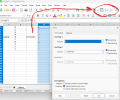
The easiest option will to reload Libre office to the latest version, this will not affect any data files you have created.
text below may help.
After this you can reset the sort options to automatic.
Calc sometimes re‑sorts because a Sort Range was previously applied and Calc tries to “maintain” it.
Turn that off:
----------------------------------------------------------------------
This clears any “persistent” sort rules.
---------------------------------------------------------------------
text below may help.
After this you can reset the sort options to automatic.
Calc sometimes re‑sorts because a Sort Range was previously applied and Calc tries to “maintain” it.
Turn that off:
----------------------------------------------------------------------
- Select the whole sheet (Ctrl + A).
- Go to Data → Sort…
- In the Sort window:
- Make sure “Range contains column labels” is correct.
- Remove all sort criteria (set them to “None”).
- Press OK.
This clears any “persistent” sort rules.
---------------------------------------------------------------------

RianKellyIT
New Member
Alan, the "some columns sort, others don't" symptom is almost always mixed data types - specifically numbers stored as text sitting alongside real numbers in the same column. LibreOffice Calc won't sort those together correctly. Quick way to check: click a cell in the problem column that should be a number. Look at the bottom status bar. If it shows Sum: 0 or Count: 1 instead of the actual value, that cell contains a text-number. To fix it, select the affected column, go to Data > Text to Columns, then just click OK/Finish without changing anything. That forces Calc to re-evaluate all cells in the column as proper numbers. After that the sort should work fine. Also worth checking for merged cells anywhere in your data range. Even one merged cell will silently block sorting for that whole area. Go to Format > Merge Cells > Unmerge Cells on the selection to rule that out.