
You are using an out of date browser. It may not display this or other websites correctly.
You should upgrade or use an alternative browser.
You should upgrade or use an alternative browser.
Long delay before Win.Logo
- Thread starter bluecity
- Start date


aviation_man
New Member
Hm. Do you have a lot of programs running at startup?
Go to Start> type "run"> type: "Msconfig", go to the Startup Tab and unselect everything that's you don't want to start up. That should help a bit. Make sure you don't unselect any Windows services though Also, on that same box, go to the "Boot" tab and the click on "Advanced Options", Turn on ALL four of your processors (Assuming this is your rig specs in your signature) and type in the amount of Mb's of RAM. The press OK and restart and see if that helps you any.
Go to Start> type "run"> type: "Msconfig", go to the Startup Tab and unselect everything that's you don't want to start up. That should help a bit. Make sure you don't unselect any Windows services though
Also, on that same box, go to the "Boot" tab and the click on "Advanced Options", Turn on ALL four of your processors (Assuming this is your rig specs in your signature) and type in the amount of Mb's of RAM. The press OK and restart and see if that helps you any.
Bodaggit23
Active Member
I have 5 programs on start up...the delay is before you get to the scrolling microsoft corporation, just a black screen
This is the time when Windows is loading all your startup processes.
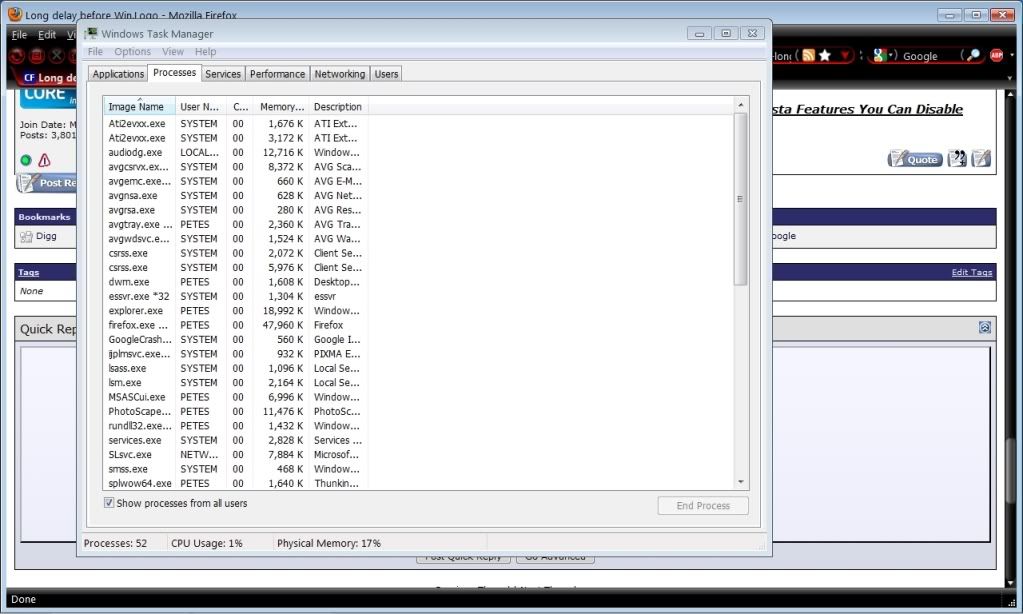
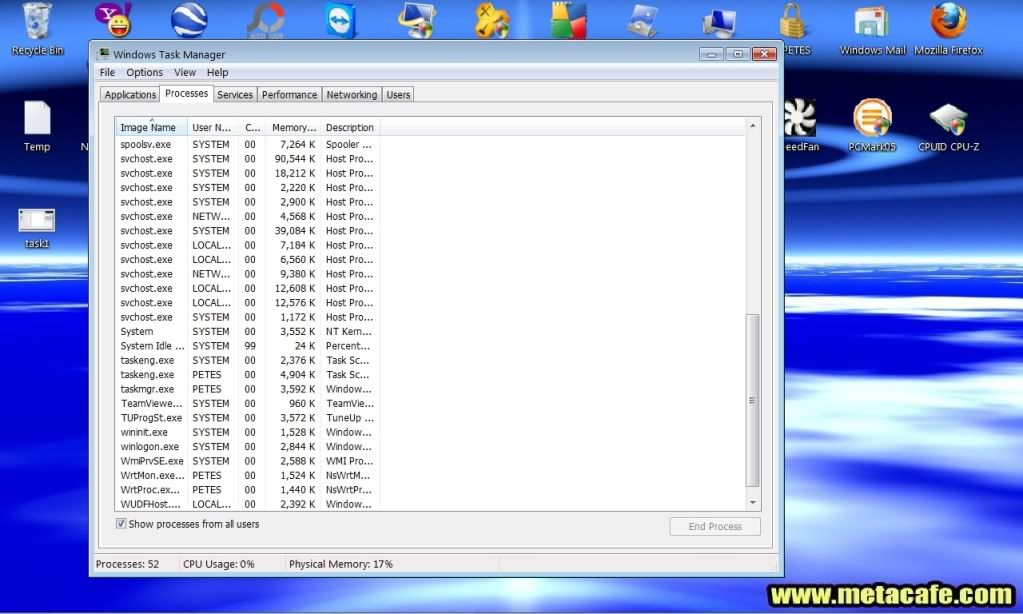
What he means is how many processes do you have running once you get to your Desktop?
Ctrl+Alt+Del, Start Task Manager. Processes Tab.
Bodaggit23
Active Member
Do you see at the bottom of the Task Manager window, where it says "Processes"? How many does it say?
Also, just above that, click the box that says "Show processes from all users".
Also, just above that, click the box that says "Show processes from all users".
Bodaggit23
Active Member
Dear Lord, look at all those AVG's...no wonder it takes forever to boot.
Also, all those "svchost" processes. I think you have malware or a virus.
Please go here and follow the instructions.
http://www.computerforum.com/131398-important-please-read-before-posting.html#post1076405
Also, all those "svchost" processes. I think you have malware or a virus.
Please go here and follow the instructions.
http://www.computerforum.com/131398-important-please-read-before-posting.html#post1076405