WHAT IS THIS AND HOW DO I GET RID OF IT?

Hi All,

I've been getting this pop up (below) lately for the last couple of weeks. I've tried clicking on all the buttons but it still keeps coming back after a while. What is it, and how do I stop it from coming back again?

Mark
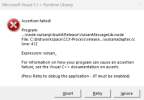
1774465842479.png

I am using an All-In-One Hp 24" Desktop with Windows 11. I also have Google Chrome as my browser. Please help!
 
Looks like that is related to adobe software. So whatever product you have installed, you might have to uninstall and reinstall it. I also found this youtube video.

 
Thanks johnb35!
As always you helped me solve my latest problem. I DID recently install a 2nd free Adobe program, and I just now uninstalled it. I will wait now for a few days to see if that pop up comes back again. If not, then I will try reinstalling it.
Thanks johnb35 (After all this time, may I call you John?)
Mark
 
:( OK, it came back. :( Got any suggestions?

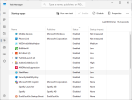
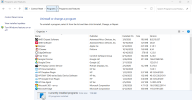
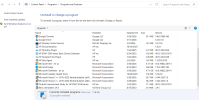
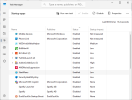
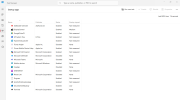
I see that it is still listed in my start up list as "Adobe Offers" and when I right click on it I get the option to uninstall. BUT, when I click on that I am redirected to my list called "Apps > Installed Apps" but nothing called Adobe islisted among them. Please note that I've had "Adobe Express" for years, but I did add another free one called Adobe Offers. Now, Adobe express is gone (uninstalled by me earlier) but this Adobe Offers still remains on my start up list. Also, besides not being listed in Apps > Installed Apps, it is also not listed in my control panel.
So what now?
Mark
 
Sorry if I missled you but it sounds to me like you are talking about it booting up at start up. If that means it automatically starts. It doesn't.

Thanks for the two links. I will check them out.
 
I see that it is still listed in my start up list as "Adobe Offers" and when I right click on it I get the option to uninstall.
You said start up list. You mean here?

start up.png

Posting screenshots of where you are talking about would help tremendously. And obviously it is starting at bootup or you wouldn't be getting those popups when you don't even have the program up and running so technically something adobe is starting at bootup and causing your issue.
 
Back
Top