Trouble Changing email notification Sound (Win 10)

Da Mail Man

Active Member
Greetings All...

1)
...Using a Lenovo IdeaPad S340 Laptop and windows 10 64bit...

2)
...I have been trying for 2 days to change the e-mail notification sound and failed each time....

3)...I get into the area to change the sounds (add a different sound of my own) and when I tell the computer what WAV sound to use, hit "apply", and hit close and test same, I still get the same default sound!

4)...I send mail to that laptop and and it receives that nail, HOWEVER, the laptop stills notify s me with the Windows e-mail notification sound

5)....I watched a few vids on utube and am still failing.......WHAT AM I MISSING HERE?

Any assistance is welcome...
 
Not sure how to answer this....Using Firefox as a browser and web mail....(No "Outlook, Outlook Express, etc.)...*USING A COMPUTER, NOT PHONE)
 
Last edited:
Geezzzz, How the hell did I mess this up!...grin...Thunderbird....Works well on my win 7 computer (re-sound notification) but, not on win 10...

Getting more confused with each post I make...I use "t-bird" in my "7" computer.......There is no real e-mail client on my "10" computer...I clearly see the "sounds" in my "10" and how to change things....And this is as far as I get...
 
Last edited:
You are using the settings via thunderbird right? And not windows itself?

Go to settings, general, then scroll down to incoming email and change the sound notification there.
 
You are using the settings via thunderbird right? And not windows itself?

Go to settings, general, then scroll down to incoming email and change the sound notification there.
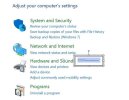
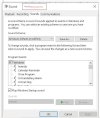
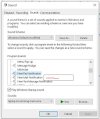
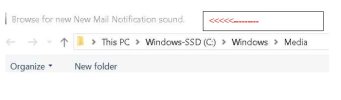
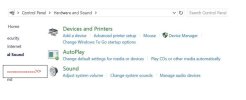
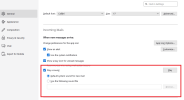
No........Thunderbird does NOT play a roll in this.....using w10 settings in computer......I bring up my browser (Firefox) and sign into my e-mail...As far as settings go here are picts (look for red arrows)...I selected the WAV file and tried 2 different places to "store" it...Same results...

Picture0001.jpg

@@@@@@@@@@@@@@@@@@@@@@@@@@@@


Picture0003.jpg

@@@@@@@@@@@@@@@@@@@@@@@@@@@@@@@@@@@@@


Picture0004.jpg

@@@@@@@@@@@@@@@@@@@@@@@@@@@@@@@@


Picture0005.jpg
 

Attachments

  • Picture0002.jpg
    Picture0002.jpg
    30 KB · Views: 0
I open my browser which is firefox......and sign onto the web page I desire....Once there, I sign into my e-mail of which I can send and receive....

I have T-bird and Firefox...Is it Firefox that then controls the "sound"?

***EDIT!...Thunderbird is NOT installed on the laptop - I just noticed that, ONLY FIREFOX****
 
Last edited:
That's going to be a system level sound. So whatever sound you hear it produce is the one you need to change.
 
huh?...there is a "box" indicating e-mail notification sound and it gives me the option of adding my own...

.....Cool.....

When I select it, and hit "test", it plays no problem....I hit "apply" and then c;lose the box(es).....

THEN, I send an e-mail to be received and it does in fact receive the mail BUT, STILL PLAYS THE DAMNED "STOCK-DEFAULT" SOUND, not the one I selected...
 
huh?...there is a "box" indicating e-mail notification sound and it gives me the option of adding my own...

.....Cool.....

When I select it, and hit "test", it plays no problem....I hit "apply" and then c;lose the box(es).....

THEN, I send an e-mail to be received and it does in fact receive the mail BUT, STILL PLAYS THE DAMNED "STOCK-DEFAULT" SOUND, not the one I selected...
The "New Mail Notification" in Windows is for mail clients (Outlook, Thunderbird, etc).
There is another system notification you will need to change. But note that it is going to change it for any other system that utilizes it. I don't know what it is called. You need to either describe the sound or upload a clip of it.
 
Well, that clears up a bunch of stuff!

The "New Mail Notification" in Windows is for mail clients (Outlook, Thunderbird, etc).
well, there is my failure then...ugh!

There is another system notification you will need to change. But note that it is going to change it for any other system that utilizes it. I don't know what it is called. You need to either describe the sound or upload a clip of it.
I cannot change anything that I don't know what or where it is.......
 
The "New Mail Notification" in Windows is for mail clients (Outlook, Thunderbird, etc).
There is another system notification you will need to change. But note that it is going to change it for any other system that utilizes it. I don't know what it is called. You need to either describe the sound or upload a clip of it.
**The "sound" is simply a mechanical voice indicating mail has been received...It is a WAV file...
 
**The "sound" is simply a mechanical voice indicating mail has been received...It is a WAV file...
But what sound do you hear NOW when you get new mail via the web browser? THAT is the sound that needs to be changed in the sound control panel.

Also why not just stop bashing your head through a wall and install Thunderbird on the computer?
 
Back
Top